PG SanMar Importer
Import SanMar items into Shopify in minutes — no manual data entry.
Supports product options, variants, pricing, sizes, and hourly inventory syncing.
Automatically generate Shopify products from SanMar styles — no CSV or spreadsheet required.
Not ready to install? Try our free SanMar CSV export tool to test with one style.
Free SanMar CSV export toolUser manual
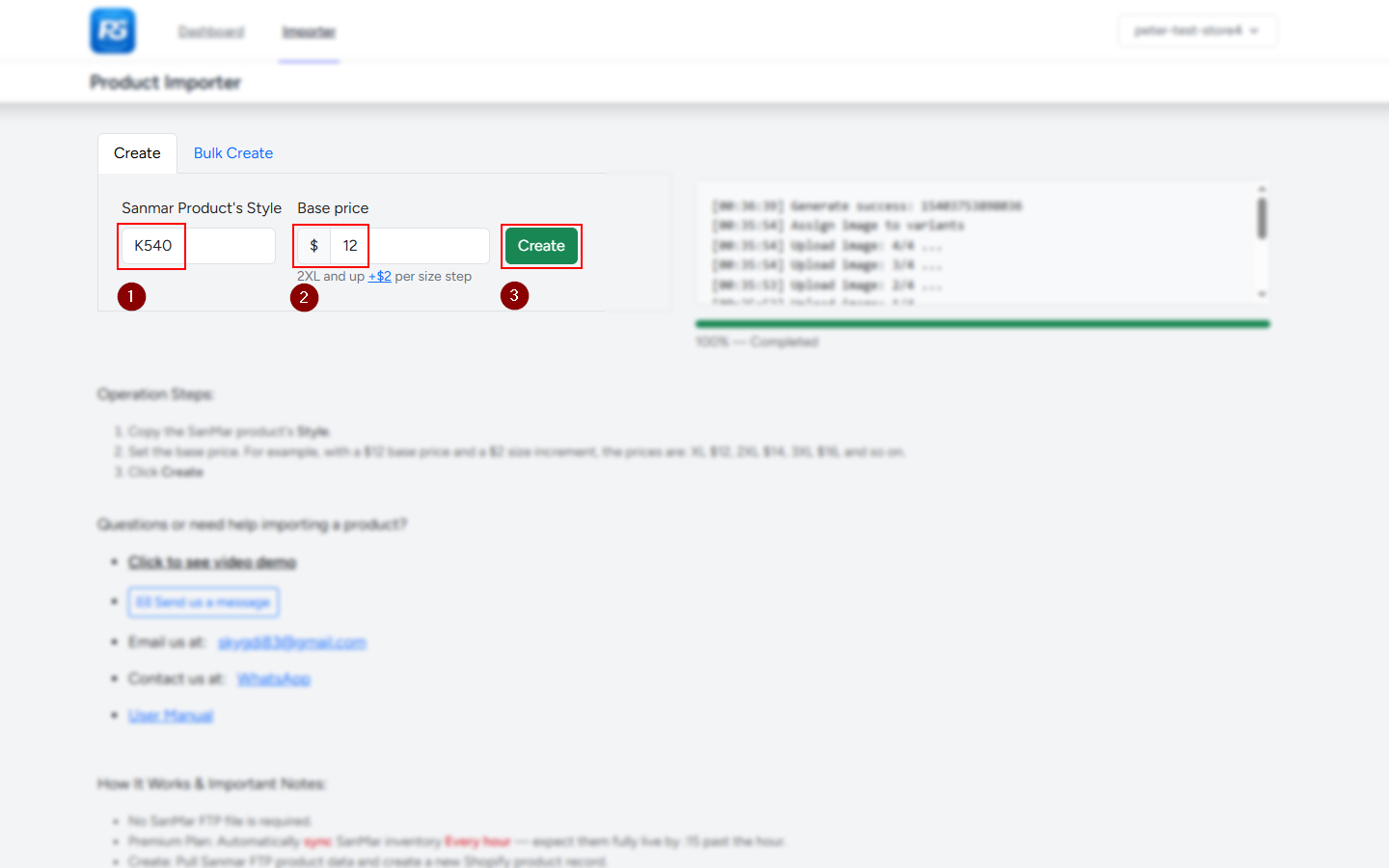
Import a product in three simple steps
- Find the SanMar style number. Copy the style number from the SanMar product page. Enter the style number, rather than the product URL.
-
Set your base price.
Enter the selling price for the smallest size. Larger sizes
use the price increment configured in your settings.
Example: a $12 base price with a $2 increment:
- XS–XL: $12
- 2XL: $14
- 3XL: $16
- 4XL: $18
- Click Create. Wait for the import to finish, then review the new product in Shopify.
Automatic inventory syncing begins within approximately one hour after import and continues hourly. You can edit the product title without removing its connection to SanMar.
Step-by-step screenshots
Click any screenshot to enlarge it.


Watch the import walkthrough
Import SanMar products without the manual work
Add the SanMar products you choose to your Shopify store by style number, then keep inventory updated automatically. Built for apparel, embroidery, and print-on-demand stores.
- Import only the products you want—no need to upload the entire SanMar catalog.
- Automatic hourly inventory sync to help keep Shopify stock levels up to date.
- Import product descriptions, colors, sizes, images, and variants.
- Set a base price and add price increments for larger sizes.
- Save available product datasheets to a Shopify metafield.
- No CSV uploads or SanMar FTP setup required.
Spend less time entering supplier data and maintaining spreadsheets, and more time serving your customers.
SanMar importer FAQ
Who is this app for?
This app is for Shopify merchants selling SanMar apparel, especially embroidery shops, print shops, and custom apparel businesses that want to import selected styles and automate inventory updates.
What is the difference between the free and paid plans?
Automatic hourly inventory syncing is available only on paid plans. The free plan does not include automatic inventory syncing. Choose a paid plan if you want to keep Shopify inventory updated automatically.
Will it import unwanted products?
No. You choose which SanMar styles to import. The app does not automatically add the entire SanMar catalog to your Shopify store.
Do I need SanMar FTP access or files?
No. You do not need to manage FTP access or upload supplier files. The app uses SanMar FTP product data behind the scenes.
How often is inventory synced?
On paid plans, automatic inventory syncing begins within approximately one hour after import, provided syncing is enabled. Inventory is then updated every hour.
Can I change the product title and description?
Yes. You can customize the product title and description, including removing the SanMar style number from the title. Inventory syncing does not overwrite those changes.